
Medicare Power Wheelchair Eligibility 2026: Complete Guide
Table of Contents Understanding Medicare Power Wheelchair Coverage in 2026 2026 Medicare Power Wheelchair Eligibility Rules at a Glance The Face-to-Face Mobility…
Read More
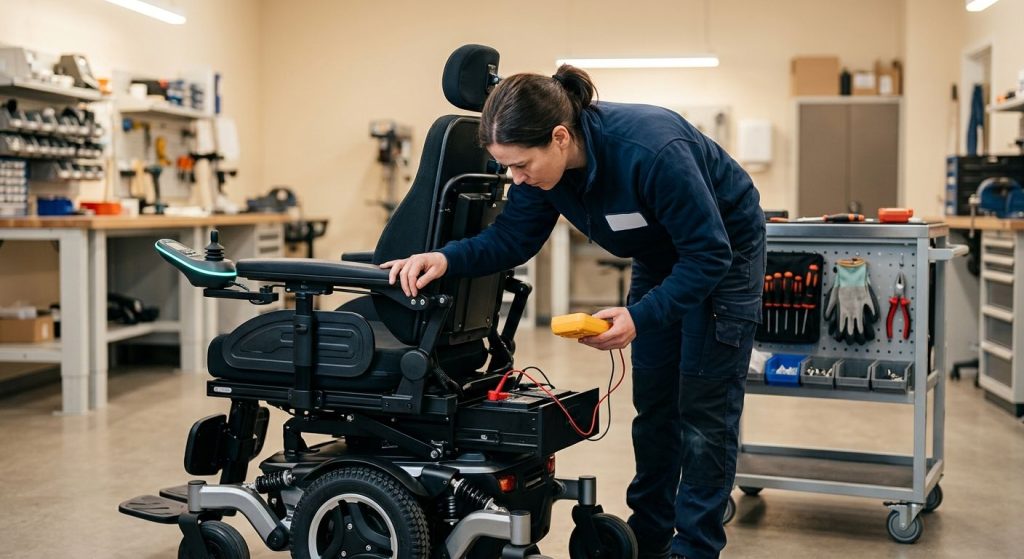
When your power wheelchair doesn’t respond as expected, systematic troubleshooting can restore your independence. We recommend starting with simple checks before considering professional service.
For a motorized wheelchair troubleshooting session, always power off your device first. Inspect the battery connections for corrosion or looseness — a wheelchair battery not charging often stems from a disconnected cable or a tripped circuit breaker. Verify that charger indicator lights show active charging and that the power cord and outlet are free of damage.
Common joystick error codes like E-1 (battery voltage low) or E-3 (motor fault) can sometimes be cleared by turning the chair off for 30 seconds. If you see erratic movement from power chair joystick error codes, a field recalibration through the controller menu may help — check your manufacturer’s manual for model-specific sequences.
Should these steps not resolve the issue, discontinue use and contact a certified technician. If your chair was obtained through power wheelchair medicare coverage, review your plan for repair options in the next section. Results may vary; individual outcomes are not guaranteed. Consult your wheelchair manual or a qualified technician for persistent issues.
Before attempting any motorized wheelchair troubleshooting, safety must come first. Your power chair is a sophisticated medical device, and proper preparation ensures both your well-being and the integrity of the equipment. At MedEquipped, we believe you are our partner in mobility freedom, and we want every maintenance task to feel approachable and safe.
Begin by powering off your wheelchair completely and disconnecting it from the charger. Always consult your owner’s manual for model-specific safety instructions and component locations before any inspection or repair. The U.S. Food and Drug Administration recommends following manufacturer guidelines to prevent hazards, and the Rehabilitation Engineering and Assistive Technology Society of North America (RESNA) emphasizes pre-service safety preparations as a professional standard.
Gather a few basic tools to get started: a multimeter (a device that measures voltage and continuity), a screwdriver set, and safety gloves. As a first step, check the battery terminals for corrosion and confirm all connections are secure — a common culprit behind issues like a wheelchair battery not charging or unexpected power wheelchair battery troubleshooting needs. If you notice loose connections, tighten them carefully before proceeding.
Avoid making unauthorized modifications, as these can void your warranty or create safety risks. We also advise checking your joystick for visible damage if you’ve seen power chair joystick error codes on the display, though detailed diagnostics come later. Remember, MedEquipped’s certified technicians are here to support you with your custom motorized wheelchairs.
Consult your wheelchair provider before performing any maintenance. In the next section, we’ll walk step by step through resolving the most frequent power chair issues, from battery problems to control system alerts.
If your power wheelchair is showing signs of wheelchair battery not charging or intermittent power loss, the next logical step in basic motorized wheelchair troubleshooting is a close inspection of the battery terminals and wiring. Loose or corroded connections are among the most common, yet simplest, issues to resolve. As your partner in mobility freedom, we recommend this quick check before assuming a more complex failure.
Start with safety: ensure the chair is powered down and unplugged. Visually inspect the terminals for any white or bluish powdery buildup, which signals corrosion. A gentle cleaning with a mixture of baking soda and water, carefully applied and then thoroughly dried, can restore a solid contact point. Next, confirm all cable connections are snugly tightened, as even a slightly loose wire can create a power chair joystick error codes scenario by disrupting consistent power flow. Finally, trace the visible cable length, looking for any frayed insulation or exposed wiring that could cause a short.
If your battery still fails to hold a charge after these steps, the problem may be internal. For owners of our custom motorized wheelchairs, we are ready to assist with more in-depth diagnostics.
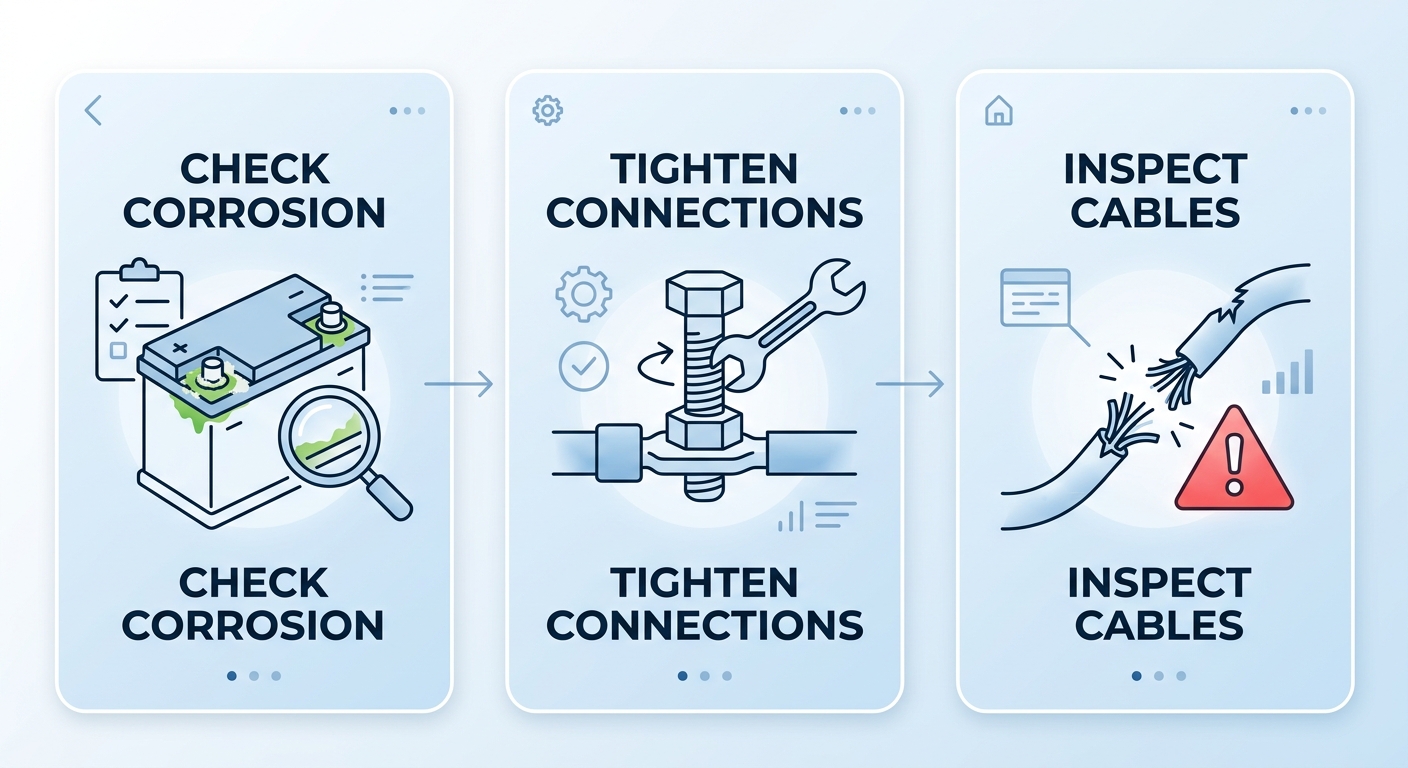
Battery connection inspection guide from MedEquipped for power wheelchair maintenance.
Results may vary; individual outcomes are not guaranteed. Consult a qualified technician for complex issues. This information is not medical advice and is for informational purposes only.
In a motorized wheelchair troubleshooting scenario, one of the first things we check when a chair stops performing is the battery. If you’re dealing with a wheelchair battery not charging or seeing a power chair joystick error, a simple voltage test can tell you a lot. At MedEquipped, we recommend testing the battery yourself before calling us, as it’s a safe and straightforward process that can save you time.
Always put safety first. Before you begin, ensure the wheelchair is turned off and completely disconnected from its charger. Wear protective gloves and eyewear if you have them. Use a digital multimeter set to DC voltage in a range that covers at least 24 volts. Be extremely careful not to let the metal probes touch each other while they’re on the terminals—this will cause a short circuit and can be dangerous.
Once you’ve prepared, follow these steps:
Interpreting the reading is simple. A healthy, fully charged 12-volt battery should show around 12.6 volts. For a 24-volt system, expect about 25.2 volts. If you see a significantly lower reading or zero volts, the battery needs a full charge or is likely faulty. If the voltage is normal but you’re still experiencing a power chair joystick error, the issue may lie elsewhere in the system.
This guide is for informational purposes only. Always consult a qualified mobility technician for repairs. If the battery passes, the next step is to check the motor connections. If it fails, a charge or a replacement may be the solution. Remember, we’re your partner in mobility freedom, and we’re always here to help get you moving again.
When motorized wheelchair troubleshooting leads you to a sudden stall or flashing error code, a controller reset is often the first step to regain mobility. As your partner in mobility freedom, we recommend this simple procedure whenever the joystick becomes unresponsive.
Before you begin, confirm that all cable connections on your power chair controller are firmly seated. Then follow these steps:
The joystick should be in neutral and the chair on a flat, stable surface during the reboot. If error codes persist, consult our Joystick Error Code Guide to interpret specific blink patterns—understanding power chair joystick error codes helps you decide whether a simple reset is enough. Remember, these steps are informational only; always consult your owner’s manual or a qualified technician. Should the issue continue after a joystick reset, it may be time for a thorough power wheelchair stalling evaluation by a professional.
Understanding the basics of motorized wheelchair troubleshooting begins with the joystick controller, which often communicates issues through specific error codes. Recognizing these signals can help you identify simple fixes and know when it’s time to seek professional support. For more complex issues, our team at MedEquipped is here to help coordinate expert care.
Some common power chair joystick error codes you might encounter include:
A first step for any error is a basic power cycle. Turn the chair off completely, wait a full minute, and then turn it back on to allow the system to reset. You can also visually check all cable connections leading to the joystick, ensuring they are clean, dry, and securely seated. However, persistent errors should be addressed by a technician. Some repairs, including joystick replacement, may be covered under insurance, a process we can support as your partner in mobility freedom. Please consult your manual or contact a professional for codes that don’t resolve quickly.
When your power chair hesitates, responds sluggishly, or stalls altogether, it disrupts your day and your confidence. As your partner in mobility freedom, we know that quick motorized wheelchair troubleshooting can often resolve these hiccups. Slow movement in our custom motorized wheelchairs typically stems from a few manageable sources. A wheelchair battery not charging fully is the most common culprit, so always begin by checking your battery gauge and ensuring all connections are secure. Worn motor brushes or debris in the drive wheels can also be factors. Next, look for joystick error codes; many controllers display a flashing light pattern that corresponds to a specific fault in your owner’s manual. A power chair joystick error codes reference chart can help you interpret these signals quickly. Often, a simple system reset—turning the chair off, waiting a moment, and powering it back on—clears temporary electronic glitches. If the problem continues despite these checks, consistent stalling points to a deeper technical issue. Per guidelines from the Rehabilitation Engineering and Assistive Technology Society of North America (RESNA), unresolved electronic or motor faults should be assessed by a certified technician to avoid further damage. Before scheduling service, you might also explore whether your plan helps, including your power wheelchair medicare coverage options for qualified repairs. For ongoing issues, reach out to us; our certified team is ready to help you restore the smooth, reliable ride you deserve.
If issues persist, please consult a qualified technician for a hands-on evaluation.
We understand how frustrating it can be when your power wheelchair starts beeping or enters a lockout mode. In motorized wheelchair troubleshooting, common causes include a low battery, activated seat sensor, safety override, or system error codes — each producing distinct patterns you can identify. A wheelchair battery not charging issue often triggers repeated beeps, while power chair joystick error codes may flash on the display, signaling specific faults.
Lockout modes (emergency stop, tilt-in-space lock, or drive-disabled state) are safety features that prevent movement until the condition clears. To exit most lockouts, follow these steps:
Most beeping and lockout issues respond to this motorized wheelchair troubleshooting approach. However, sometimes Medicare coverage changes can trigger a lockout if your chair no longer meets criteria. When that happens, your wheelchair insurance may need an update. As your partner in mobility freedom, we handle the paperwork, insurance navigation, and coordination to get you moving again. We always recommend contacting a certified technician or our support team when basic steps don’t resolve the issue. Consult a healthcare professional before making clinical decisions; this information is not medical advice.
When simple checks don’t resolve issues, performing a complete reboot is a powerful first step in motorized wheelchair troubleshooting. We recommend this process as a safe, effective way to clear temporary software glitches that can affect your power chair’s performance.
Start by turning the main power off. Next, if you can safely access it, disconnect the battery pack. Wait at least 60 seconds to let any residual power drain completely from the system. This pause is crucial, as it allows the control module to fully reset. Finally, reconnect the battery and turn the power back on. This power chair reboot gives the system a fresh start.
A successful reboot can fix unresponsive controls, display errors, and erratic behavior without affecting your custom drive settings. It is a simple reset, not a factory restore. If you still see error codes or your chair won’t operate normally, please contact our support team. For persistent problems, the next section covers joystick error codes and battery charging issues.
Even after following routine checks, some problems with your motorized wheelchair require deeper investigation. For effective motorized wheelchair troubleshooting when basic solutions fail, it’s helpful to turn to structured diagnostic protocols. The Rehabilitation Engineering and Assistive Technology Society of North America (RESNA) provides established service standards that many qualified technicians follow to systematically identify faults.
When a wheelchair battery not charging issue continues despite a secure wall outlet, the problem often lies in the charger, cables, or battery health. We recommend a step-by-step approach to identify the cause:
Joystick problems present another layer of complexity. Common power chair joystick error codes appear as a sequence of flashing lights, with the pattern indicating a specific fault. For instance, a slow red blink may point to a low battery, while rapid red flashes can signal a locked motor or controller fault. Often, a full system reset—disconnecting power for several minutes—can clear temporary errors. The U.S. Food and Drug Administration (FDA) reminds users that any repeated controller or motor malfunction must be approached with caution, as ignoring persistent safety signals could create unsafe operating conditions.
If a reset doesn’t resolve the pattern, stop using the chair. Document the flash sequence, when it occurs, and under what conditions. Recording these symptoms will speed up a professional diagnosis, a practice aligned with best practices in the field. Even custom motorized wheelchairs can develop persistent issues, and we’re always ready to help you get back to independence. Contact MedEquipped’s team to schedule an evaluation—we are your partner in mobility freedom.
Information is not medical advice and is for informational purposes only. Consult a healthcare professional before making clinical decisions.
Simple, consistent care prevents most issues that lead to motorized wheelchair troubleshooting. We understand your custom chair is a vital daily companion, so we recommend these straightforward habits.
Follow battery charging best practices to avoid the frustration of a wheelchair battery not charging unexpectedly. Charge after each use, and avoid deep discharges to protect long-term battery health. For the controls, gently wipe the joystick and panel with a dry cloth. Preventing debris buildup helps you avoid confusing power chair joystick error codes.
Monthly, inspect your tires and casters for wear, and keep electrical connections free of moisture and dust. We also advise scheduling an annual professional checkup. A custom fitting from your initial clinical evaluation, as provided by MedEquipped’s certified ATP evaluators, reduces long-term mechanical wear. Your partner in mobility freedom, MedEquipped, is here to help with ongoing support.
Table of Contents Understanding Medicare Power Wheelchair Coverage in 2026 2026 Medicare Power Wheelchair Eligibility Rules at a Glance The Face-to-Face Mobility…
Read More
Table of Contents Understanding Medicare Power Wheelchair Coverage in 2026 Prerequisites for Your Medicare Power Wheelchair Application Confirm Your Medical Necessity for…
Read More
Table of Contents The Medicare Mobility Assistive Equipment Algorithm Explained Prerequisites for Medicare Motorized Wheelchair Coverage Assess Your Daily Mobility and Functional…
Read More