Table of Contents
- The Professional Approach to Power Wheelchair Programming
- Before You Begin: Preparing for Programming
- Step 1: Understand Your Controller and Programming Parameters
- Step 2: Schedule a Professional Evaluation and Programming Session
- Step 3: Customize Safety and Control Settings
- Step 4: Configure Input Methods and Switches
The Professional Approach to Power Wheelchair Programming
Learning to program a power wheelchair requires professional programming: configure your speed, acceleration, turning response and sensitivity according to your body abilities as well as your environment. When done correctly, this can promote safety, extend battery life, and help prevent problems such as jerky response, rapid battery drain, or strain and injury. That’s why it’s crucial for you to have a professional program these settings on your power wheelchair.
Starting with a clinical assessment and a private meeting with patients in order to make sure we understood their specific circumstances, we have optimized all settings – speed, acceleration, and turn response – for a smooth and easy drive at home as well as outside. That’s what makes all our custom motorized wheelchairs unique. This personalized optimization ensures a driving experience that feels effortless from day one.
Proper preparation is essential before we begin programming. After gathering your diagnostic data, measuring your seating requirements, and verifying your insurance coverage, we can move forward into programming. With all this info ready, the programmers know exactly what you’re looking for in your new chair as well as your body and routine needs.
Key Takeaways
- When you’ve reached this page, you should take a careful, structured approach to programming your MedEquipped powerchair that begins well before you connect any cables.
- The power wheelchair controller is the electrical mind that takes in the commands from the joystick and puts them out into controlled movement.
- Professional evaluation and controller programming give your power wheelchair a custom fit, matching motor response, speed, and safety settings to your daily routine and health needs.
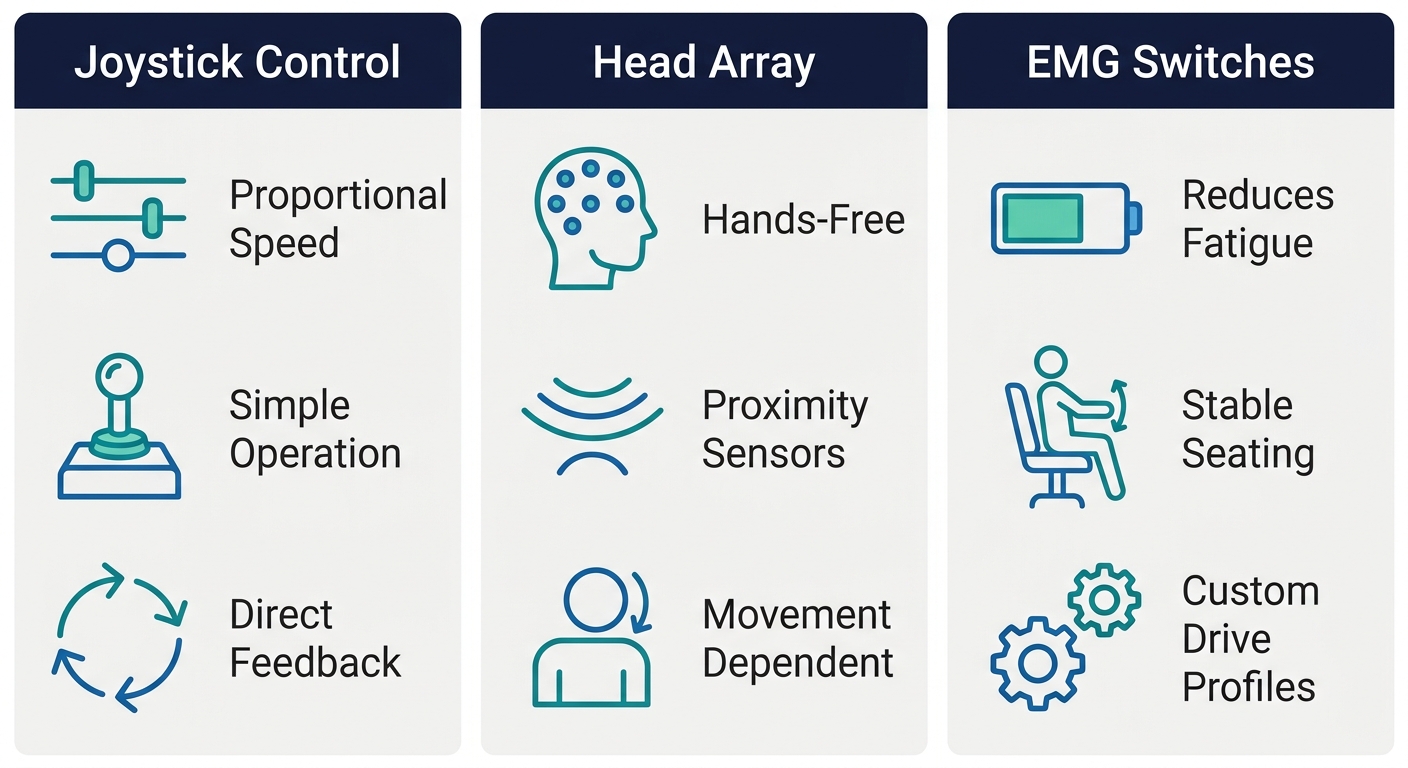
- For individuals with severe muscle weakness, EMG switches using surface electrodes detect electrical signals from active muscles and translate them into movement commands.
- After setting up the input device configuration, we should turn our attention towards the indoor driving modes.
Before You Begin: Preparing for Programming
When you’ve reached this page, you should take a careful, structured approach to programming your MedEquipped powerchair that begins well before you connect any cables. Before you actually plug anything up, you need to get a handle on what your workspace and tools are going to look like. Here’s how to create a great work environment.
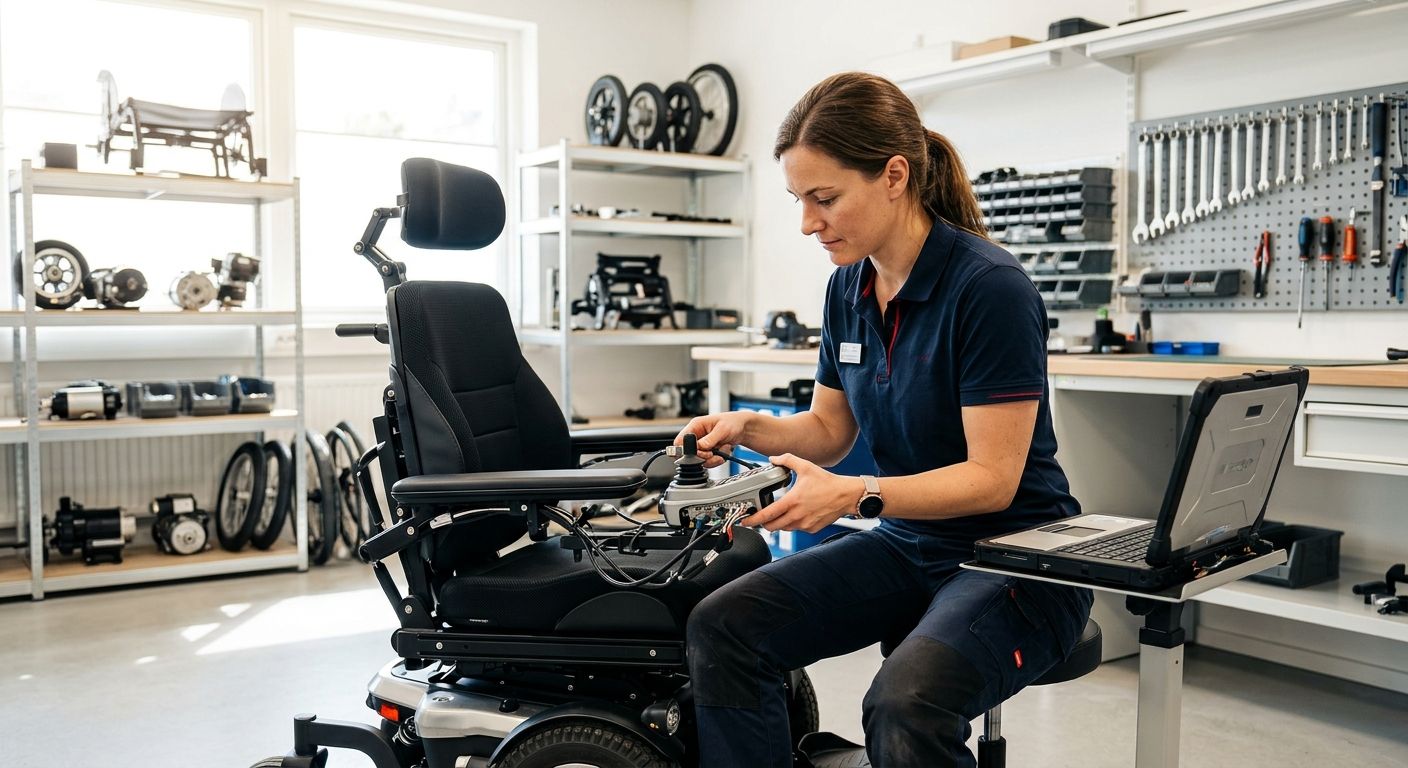
Firstly, place the wheelchair into a level location and switch it off before attaching the equipment you are going to use to program. Secondly, make sure that the correct programming cable and software for your specific controller model are available and properly installed on a laptop or tablet, and that the computer itself is charged or plugged in. Last but not least, check that the battery within the wheelchair is fully charged to prevent any interruptions that could jeopardize settings during the session.
Please take a look at the controller’s manual as we have model-specific cautions and parameters in there also. Should you not feel up to doing this on your own, the experts at MedEquipped in Spring Valley, NY can help walk you through this process. Taking these steps supports your goal of greater independence and can help give you confidence that your programming session will go smoothly.
Once all these preparations have been made, now you can finally come into contact with the parameter setting functions in the controller. The following section will guide you to modify these settings to suit your performance and comfort requirements.
Step 1: Understand Your Controller and Programming Parameters
The power wheelchair controller is the electrical mind that takes in the commands from the joystick and puts them out into controlled movement. The most common programmable settings a clinician can adjust include speed limits, the amount of power used when accelerating, how sensitive it is when braking, torque (power), and how responsive the turning is going to be.
Understanding power wheelchair controller settings explained in plain terms helps you see how each adjustment affects your experience. Lower acceleration improves indoor maneuverability around furniture and tight corners, while higher torque provides the muscle needed for ramps and outdoor inclines. The speed limit governs forward and reverse speed, and fine-tuning turning sensitivity keeps the chair predictable in doorways or crowded spaces.
When you describe your daily routines and preferences during the evaluation, our clinician can tailor each parameter. Bring your prescription, diagnoses, and home layout details so we can optimize the chair for your comfort. This insight helps you communicate your preferences effectively during the programming session. We’re here to help.
Step 2: Schedule a Professional Evaluation and Programming Session
Professional evaluation and controller programming give your power wheelchair a custom fit, matching motor response, speed, and safety settings to your daily routine and health needs. The programming allows for different speeds and motor responses as well as different settings when it comes to safety.
Call our office at (845) 237-2381 or visit us in Spring Valley to book an evaluation and programming appointment. Our team is available Monday through Friday, 9:00 am to 5:00 pm, at 747 Chestnut Ridge Road, Spring Valley, NY 10977.
While there, they’ll go over what you need in terms of mobility and adjust the wheelchair’s controller accordingly. The adjustments include joystick sensitivity, acceleration, braking, and any assistive switching you rely on. We can tailor each of these settings around what you want out of the wheelchair based off your body type and lifestyle. As such, you’ll be able to feel more comfortable and confident.
Our quick turnaround time means that when you’re happy with your settings, your custom order will be ready soon enough. This process forms a base for everyone’s safety, comfort and freedom when using a powered wheelchair.
Step 3: Customize Safety and Control Settings
Now that you’ve been professionally evaluated by us and programmed into the cart, we’re able to tweak any safety settings according to your requirements. We can adjust maximum forward and reverse speed limitations to match your daily environment, whether you navigate a home, a care facility, or outdoor paths. This allows us to turn on other safety features too such as tip-over switches, seat-belt reminder systems and tilt alarms, which can be very useful for keeping you safe during your day-to-day tasks, yet they won’t get in the way when you want to go about what you need.
We set up the stick sensitivity as well as curve for response on the controller so that they steer as predictably and easily as possible. There can usually be multiple drive profiles such as indoor, outdoor, low speed, etc., which can be configured and selected depending on your requirements in different settings. We then lock all of those settings down so there is no chance of them being changed by accident. The final stage involves assigning inputs and switch modes so that everything lines up with what we want to get from our chair.
Step 4: Configure Input Methods and Switches
For individuals with severe muscle weakness, EMG switches using surface electrodes detect electrical signals from active muscles and translate them into movement commands. Electrodes remain attached to the skin so input stays stable during seating adjustments. A RESNA study reported consistent reliability over three months and reduced operator fatigue.
We suggest that you program different types of drive profiles in your Omni+ controller: a fast-speed cruise profile for wide open areas and a slow-speed crawl mode for indoor tight spaces.
After this process has been completed, and the user can safely operate his power chair, the driving parameters for each indoor setting may be refined accordingly.
Step 5: Fine-Tune Indoor Driving Profiles
After setting up the input device configuration, we should turn our attention towards the indoor driving modes. A presentation at a RESNA conference suggested that drive settings can be adjusted to optimize both speed and accuracy when dealing with confined space situations inside buildings. For instance, one of these settings called Crawl Mode allows the vehicle to move very slowly but deliberately in order to make precise movements. Crawl Mode is illustrated as part of the Omni+ controller setting along with four other settings (RESNA, 2006). An additional Crawl Mode could also be created specific to situations such as entering doorways or maneuvering through bathroom facilities in which precise, centimeter-by-centimeter adjustments need to be made.
The researchers found another benefit identified in the study: EMG-based control input remains stable even when the user activates seating functions, without needing caregiver repositioning. The skin-worn sensors allowed people’s driving behaviors to remain stable, maintaining consistency. During a three-month testing period, the EMG switch interface maintained reliable performance, supporting independence during daily indoor routines. These indoor settings lay the groundwork for adapting the wheelchair to outdoor environments, where speed and terrain handling differ.
Step 6: Adapt Settings for Outdoor Navigation
The next refinement we made involved adjusting how our cars behave in outdoor settings, which presents us with different challenges due to varied road surfaces and longer driving distances than those typically encountered indoors. In order to effectively respond to these situations, we recommend creating a dedicated outdoor profile within Omni+ that optimizes speed, acceleration, and input sensitivity.
This research showed that EMG input remains stable during seating adjustments when the surface electrode is placed on the active muscle, allowing us to adapt the controller response to that consistent signal and helping maintain reliable control over bumps and varied surfaces. By separating out our outdoor profiles, we have two profiles for dealing with outdoor space. Cruise mode allows us to cover longer distances at a higher speed. Crawl mode gives us extremely tight control as we enter and leave tight spaces.
Before relying on the vehicle’s outdoor profile, drive it in a safe, open area to check forward and turn behavior, braking response, and comfort. Once settings are confirmed, proceed to final programming verification and safety testing.
Step 7: Verify Programming and Perform Safety Testing
Once programming parameters are entered, we confirm each setting operates.
- We compare the chair’s actual top speed against the programmed limit and verify the turning radius does not exceed the set cap.
- We assess acceleration and deceleration ramps to ensure they feel smooth and predictable, with no abrupt surges.
- Stationary checks include testing joystick response in all directions, confirming anti-tip wheels deploy correctly, and verifying power seat functions (if equipped) move within their intended range.
Secondly, we execute the safety check in a spacious room without obstructions. The wheelchair goes through some tests on a level surface as well as a slight slope to see if its brakes stop properly under each condition. If the wheelchair has obstacle detection sensors, we determine whether they produce auditory or haptic feedback when an object enters the detection zone. When there happens to be some malfunctions or irregularities in this case, those details should all get written down so they could later serve as a basis for reviewing results.
Should you encounter any problems, the following sections cover programming issues.
Troubleshooting Common Programming Issues for Power Wheelchairs
Even if verification is done carefully, bugs could still arise during daily use, which usually appear in the form of odd behaviors or error messages on the screen. Fixing them promptly helps maintain reliable performance.
Parameter Conflicts
When you have several settings conflicting, your chair can be sluggish or speed up too much. Typical problems are:
- Acceleration versus maximum speed – If acceleration is set too high relative to maximum speed, the chair can lurch forward before stabilizing. We recommend reducing acceleration incrementally until movement feels smooth.
- Turn speed versus forward speed – A tight turn radius combined with a high forward speed can cause instability. Adjust turn speed downward and test in an open area before returning to normal use.
Calibration Errors
If the joystick drifts or won’t center after a programming change, recalibrating it usually resolves the issue. Most joysticks have a calibration routine that can be done from within the programming options. Just follow these basic steps to get it back on track:
- Enter the calibration mode from the settings menu.
- Follow the on-screen prompts to move the joystick through its full range—forward, backward, left, and right.
- Release the joystick and confirm the neutral position when prompted.
- Save the new calibration profile and power cycle the chair.
Please consult your equipment manufacturer’s manual for specific information on codes, since these can be different according to brand.
If this does not fix your problem, the controller may require deeper diagnostic support. Taking care of these simple problems helps ensure the wheelchair is ready for safe, reliable daily use.
FAQ
Can I program my own power wheelchair or do I need a professional?
No, professional programming is required. MedEquipped’s clinicians adjust speed, acceleration, turning response, and sensitivity to your body abilities and environment during an evaluation. They also configure safety features and lock settings to prevent accidental changes, ensuring a custom fit.
What specific settings can be adjusted when programming a power wheelchair?
Clinicians can adjust speed limits, acceleration power, braking sensitivity, torque, and turning responsiveness. Joystick sensitivity, drive profiles for indoor and outdoor use, and safety features such as tip-over switches and seat-belt reminders are also programmable. Multiple modes like crawl and cruise allow tailored control.
How does programming a power wheelchair improve safety and driving control?
Professional programming matches motor response to your abilities, reducing jerky movement and preventing strain or injury. It enables safety features like tip-over switches, seat-belt reminders, and tilt alarms, while drive profiles tailored for indoor and outdoor use improve predictability and control. Locked settings avoid accidental changes.
Why is it important to have my power wheelchair programmed by a certified professional?
A certified professional ensures settings match your specific diagnosis, body abilities, and home environment, which maximizes safety and comfort. MedEquipped’s clinicians conduct a hands-on evaluation to adjust acceleration, braking, and drive profiles, then lock configurations to prevent unintended changes, providing a smooth, personalized driving experience from day one.
Are there different programming requirements for indoor versus outdoor power wheelchair use?
Yes, indoor and outdoor environments require distinct drive profiles. Indoor profiles use lower speeds and high precision, like crawl mode for tight spaces. Outdoor profiles increase speed and acceleration for longer distances and varied terrain, with settings optimized for bumps and slopes. MedEquipped programs separate profiles to ensure safe, controlled navigation in each setting.
Achieving Safe and Independent Mobility Through Expert Programming
In addition to fixing problems that arise, a good programmer can maximize your wheelchair’s capabilities. For example, when a professional tailors ride performance, seating, and control settings to your personal needs, you gain greater safety and independence in everyday activities. You may experience less fatigue, better mobility, and increased self-confidence.
At our clinic, we provide personalized evaluations and fittings as part of our custom wheelchair service. Our experienced team manages everything from clinical assessment to funding paperwork, and we deliver custom motorized wheelchairs within 30 to 60 days — far faster than typical industry timelines.
Understanding how to program a power wheelchair is an important first step, but professional expertise ensures it is done safely and effectively. Contact our Spring Valley office at (845) 237-2381 to schedule your personalized evaluation. Results may vary. Consult your healthcare professional for medical necessity. Medicare/insurance coverage verification is recommended; we do not guarantee coverage.
Schedule Your Power Wheelchair Evaluation
Now that you understand the complete process for programming a power wheelchair, it’s time to put that knowledge into action. Professional evaluation and customization are essential for safety and comfort, as we’ve discussed. Our team offers personalized programming sessions at our office in Spring Valley, New York. We’ll assess your needs, adjust critical settings like speed, acceleration, and input sensitivity, and ensure your chair fits your daily environment perfectly. With a typical turnaround of 30–60 days for a custom motorized wheelchair, you can be on the path to greater independence quickly. Call us at (845) 237-2381 or visit our website to schedule your evaluation today. Your journey to safe, confident mobility starts with a single step.
Schedule Your Power Wheelchair Evaluation